AI Tools for Creative Writing
Left to its own devices, AI is a remarkably average writer. It can mimic style, structure, and genre conventions, but it frequently defaults to safe, predictable choices that flatten originality and weaken a unique authorial voice. It can be, however, a powerful augmenting tool - functioning essentially as an idea-organiser and copyhouse. This can be especially useful if executive dysfunction or other distractions limit the capacity for an otherwise creative mind to get good ideas out into the world as finished pieces. So we’d like to take you through some of the cooler offerings out there.
Novelcrafter
Novelcrafter is not actually an AI tool and without any AI integration is already a pretty stand-out writing buddy.
The Codex: This is Novelcrafter’s standout feature. It’s an interactive, deeply organized database for your world-building. You log every character, location, magical rule, and item here. When you use the AI to brainstorm or draft, it actively reads the Codex, ensuring it never forgets that your protagonist has a scar on their left eye or that the kingdom’s currency is made of glass.
Bring Your Own Key (BYOK): Novelcrafter doesn’t lock you into one AI model or charge you a massive flat fee. Instead, you pay a small subscription for the software itself, and then plug in your own API keys (from OpenAI, Anthropic, or OpenRouter). This means you can use a cheap model to outline, and a high-end model to polish. It also means, importantly, that you don’t need AI at all if you’d prefer not.
Scene Beats: If you do use AI, you can use scene beats to write it bit by bit. Instead of asking the AI to "write a chapter," you give it a structured list of beats (e.g., "Character A enters the room, notices the broken glass, and confronts Character B"). The AI then expands those beats into prose, keeping you firmly in the director's chair.
The best hybrid use of AI in Novelcrafter, however, is really to use the tool to review the story for plot holes, inconsistencies or to critique and make suggestions.
There is a learning curve with this one, so it is really worth your time to watch The Nerdy Novelist’s one-hour course on getting started in Novelcrafter.
Google TxtFX
TextFX is an AI experiment built by Google in collaboration with Grammy Award-winning rapper and MIT professor Lupe Fiasco.
Google asked Lupe to help them design an AI that would write verses for the users. He said “yeah, nah, no thanks” and instead pivoted to something that would help him explore the mathematical and linguistic possibilities of a single word or concept.
The result is an AI that refuses to write your story. Instead, it acts as a digital thesaurus, brainstorming partner, and phonetic playground.
The 10 Tools of TextFX
TextFX is broken down into 10 specific modules, each designed to break language apart and put it back together in weird, unexpected ways:
Explode: This is a favorite for poets and lyricists. You type in a word, and the AI breaks it down into similar-sounding phrases. (e.g., "Revolution" might yield "Rev on solution" or "Rebel illusion").
Unfold: Takes a word and finds existing words or idioms that contain it.
Fuse: You give it two completely unrelated concepts (e.g., "A spaceship" and "A coffee cup"), and it forces intersections between them to generate unique metaphors.
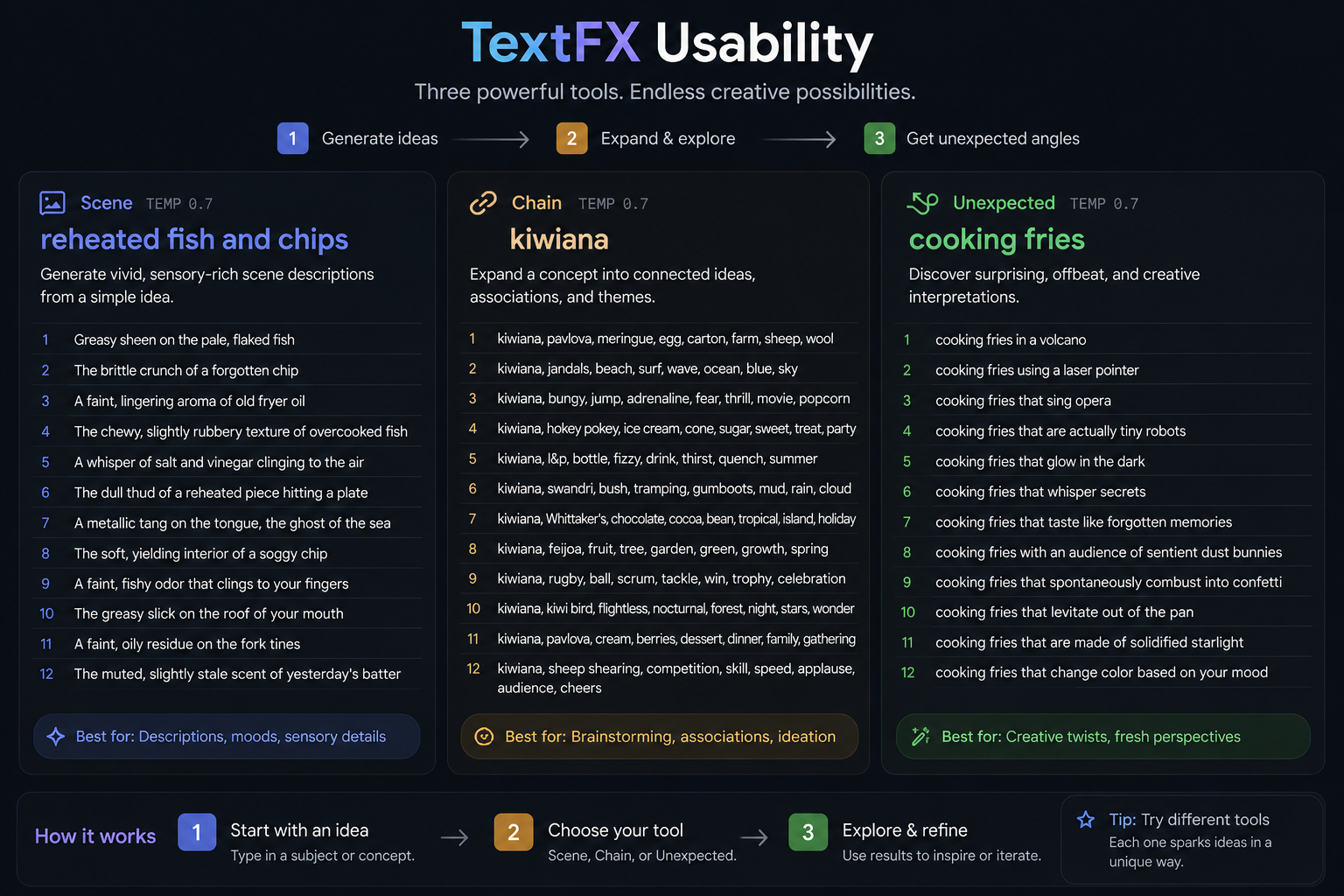
Scene: You give it a basic location (e.g., "An abandoned subway station"), and it generates highly specific, sensory details about the smell, sound, and lighting to help you set the scene.
Unexpect: You type a standard, cliché scene, and the AI injects a surreal or unexpected element into it to break you out of a creative rut.
Simile, Alliteration, Acronym, Chain, & POV: These tools handle exactly what they sound like, helping you build chains of semantically related words or view a single topic from bizarre, distinct perspectives.
Google Mixboard
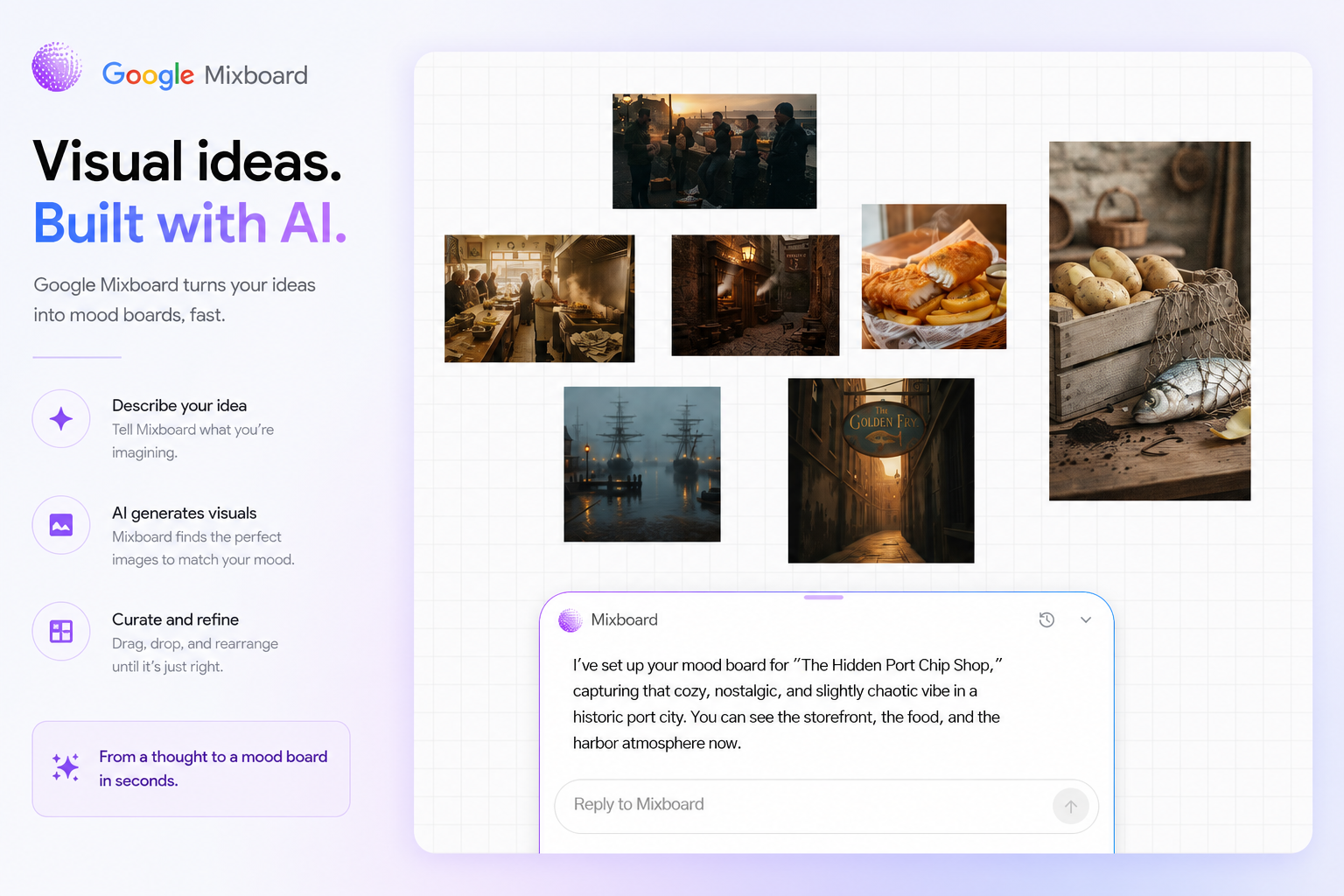
Mixboard is built on top of Google's Nano Banana and Nano Banana Pro image models. Instead of just generating a single image in a chat box, it gives you an infinite spatial canvas to generate, manipulate, and connect visual ideas simultaneously.
Core Features & Workflows
The Infinite Sandbox: You can start with a text prompt, upload your own seed images, or even pull in a live feed from your webcam. From there, you use natural language to remix the board (e.g., "blend these two images together" or "make this character design more minimalist").
Visual Doodling & Inpainting: You aren't limited to just typing. You can draw directly on an AI-generated frame—like sketching baggy pants on a character or adding a window to a room—and the AI will instantly parse your doodle and update the high-fidelity image to match.
Subboards: Because brainstorming is messy, you can create boards within boards. If you are designing a world and get stuck on what the vehicles look like, you can branch off into a subboard to explore that specific tangent without cluttering your main canvas.
The "Transform" Engine: This is the killer feature. Once you have filled your board with a chaotic mess of reference images, generated art, and scattered text notes, you can trigger a "Transform." The AI analyzes the aesthetic and logic of your entire board and automatically structures it into a polished presentation deck or a detailed, text-heavy design document in about 15–20 minutes.
This is really useful for conceptualisation and planning your story or film.